notion_integration.md
1 # Notion Integration 2 3 The Notion integration allows you to search/chat with your Notion workspaces. [Notion](https://notion.so/) is a platform people use for taking notes, especially for collaboration. 4 5 Go to https://app.khoj.dev/settings to connect your Notion workspace(s) to Khoj. 6 7 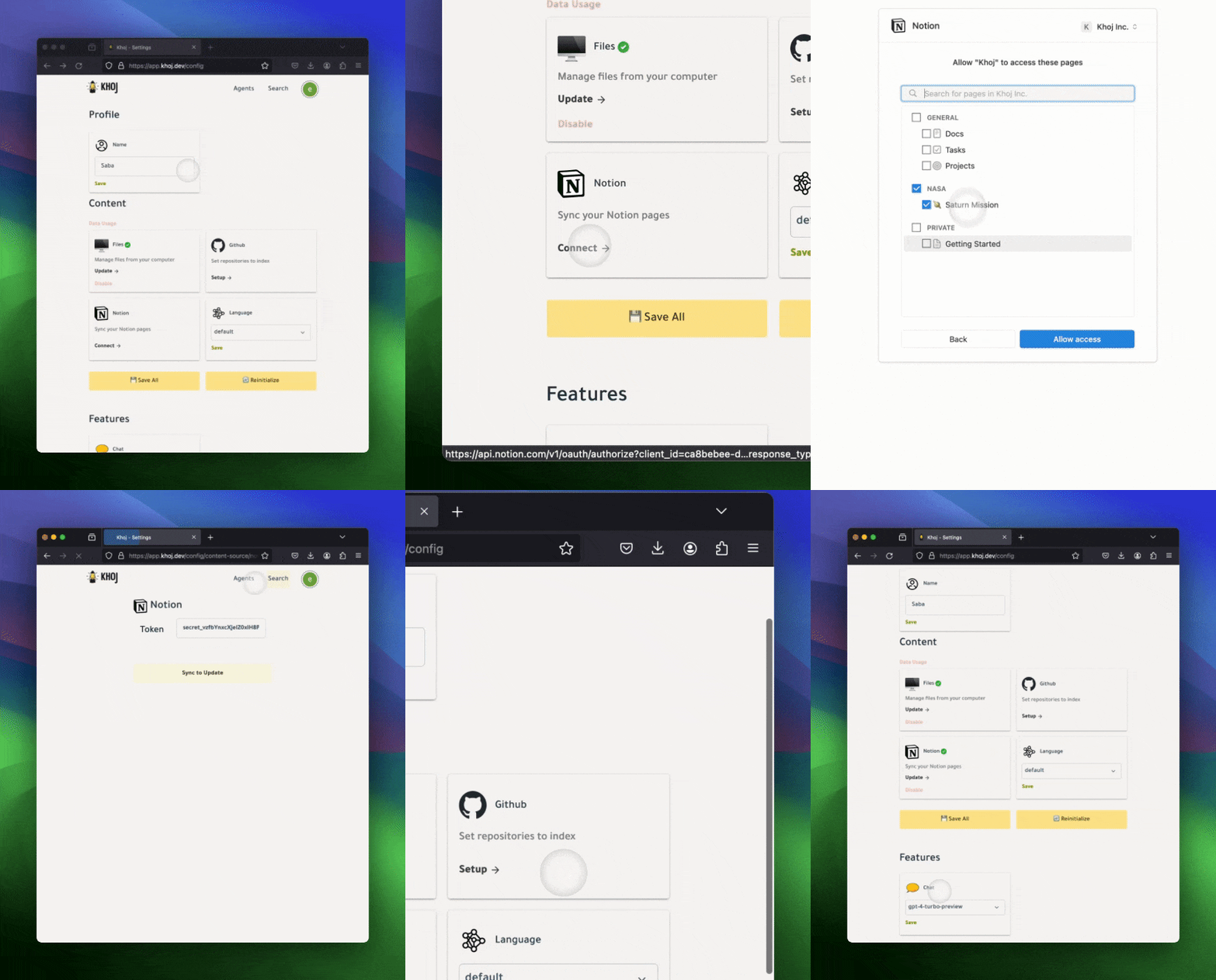 8 9 10 ## Self-Hosted Setup 11 12 1. Go to https://www.notion.so/my-integrations and create a new integration called Khoj to get an API key. 13 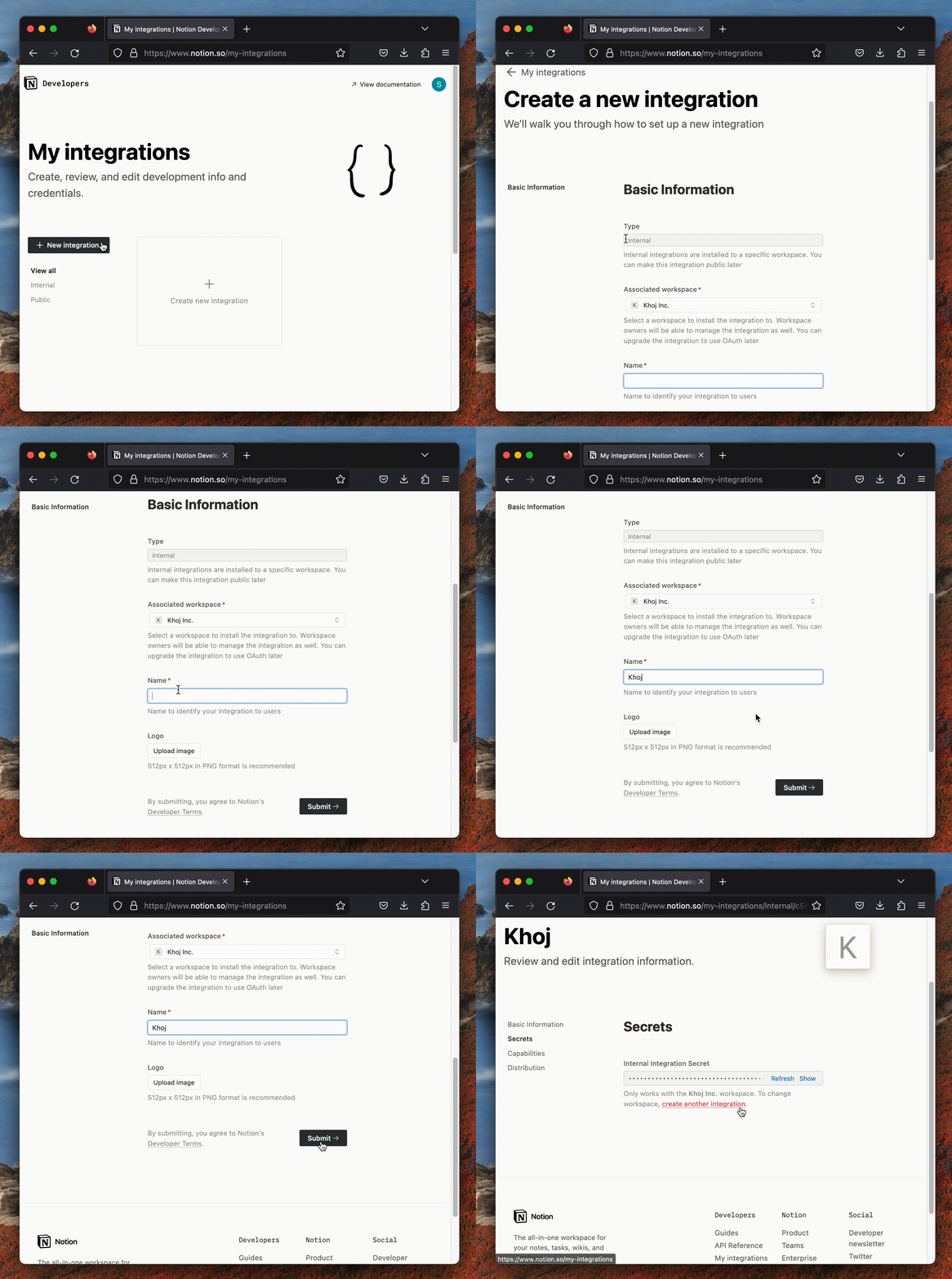 14 3. Share all the workspaces that you want to integrate with the Khoj integration you just made in the previous step 15 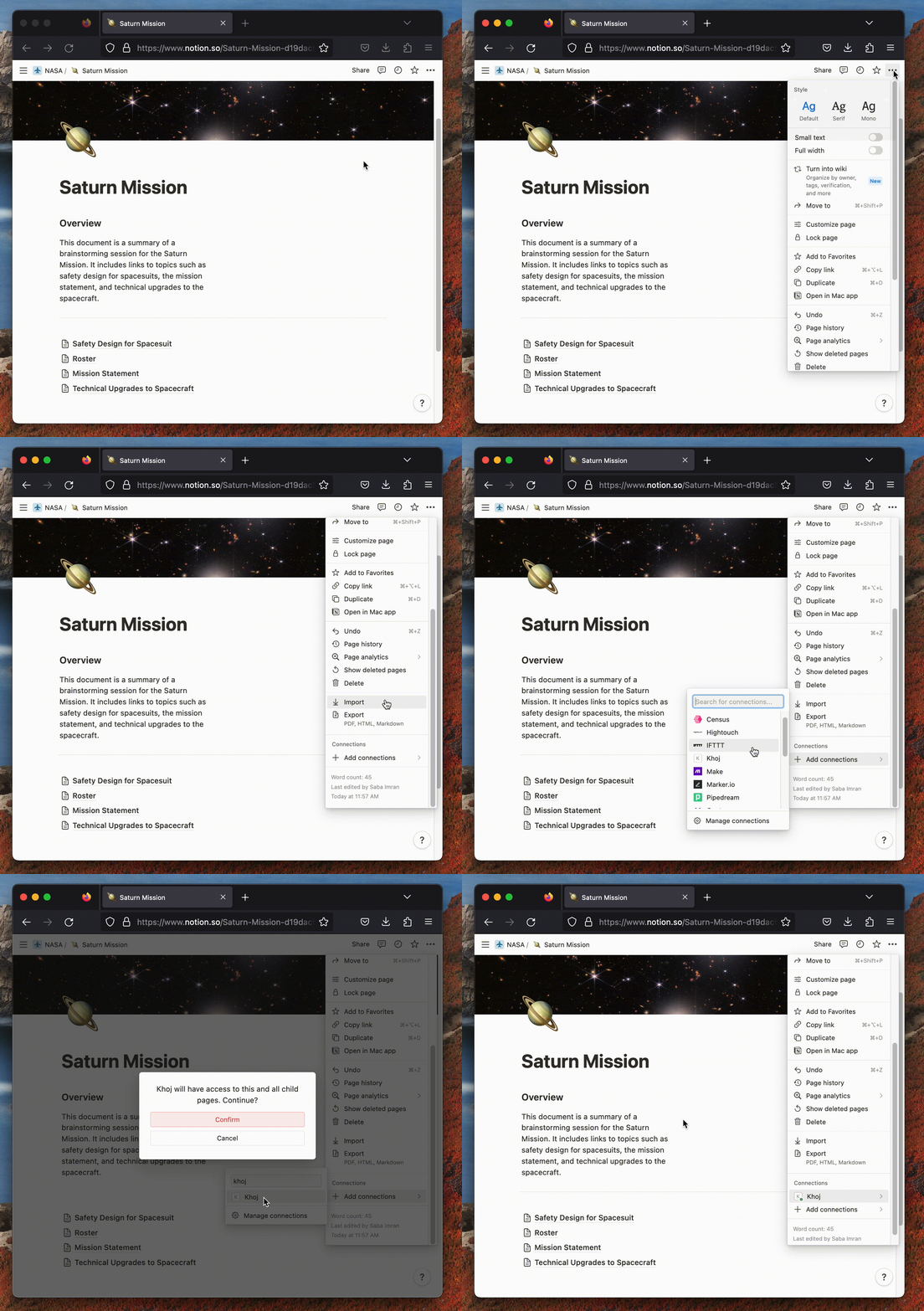 16 4. In the first step, you generated an API key. Use the newly generated API Key in your Khoj settings, by default at [http://localhost:42110/settings#notion](http://localhost:42110/settings#notion). Click `Save`. 17 5. Click `Configure` in http://localhost:42110/settings to index your Notion workspace(s). 18 19 That's it! You should be ready to start searching and chatting. Make sure you've configured your [chat settings](/get-started/setup#use-khoj).