README.md
1 # Session Switch for Pi (`pi-session-switch`) 2 3 Switch between Pi sessions with `/switch-session`, or open the same picker after interactive startup with `pi --switch-session`, using the same layout and affordances as Pi's native `/resume` picker plus a live preview of the currently highlighted session beneath the picker. 4 5 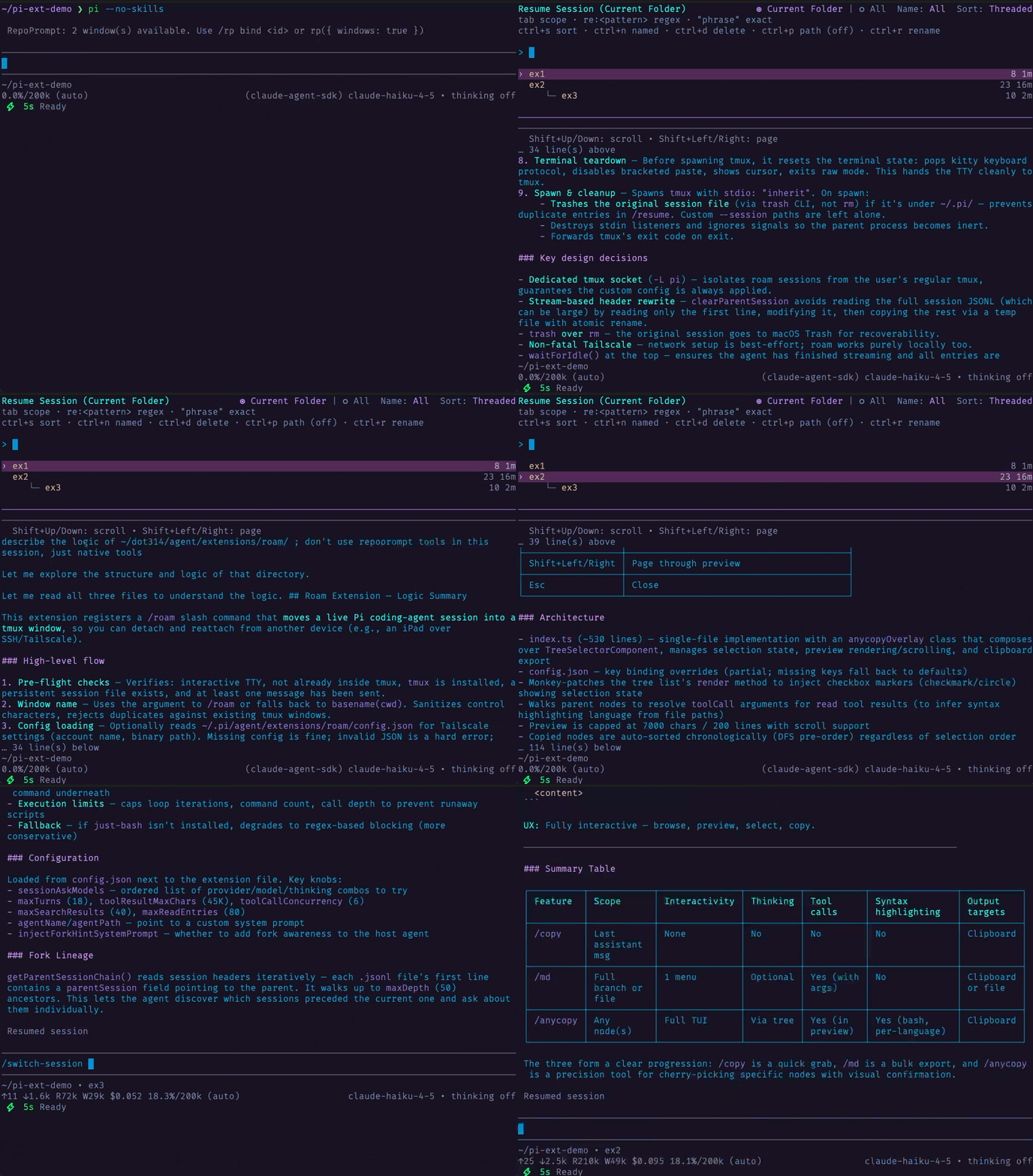 6 7 ## Install 8 9 From npm: 10 11 ```bash 12 pi install npm:pi-session-switch 13 ``` 14 15 From the dot314 git bundle (filtered install): 16 17 ```json 18 { 19 "packages": [ 20 { 21 "source": "git:github.com/w-winter/dot314", 22 "extensions": ["extensions/session-switch/index.ts"], 23 "skills": [], 24 "themes": [], 25 "prompts": [] 26 } 27 ] 28 } 29 ``` 30 31 ## Command 32 33 ```text 34 /switch-session 35 ``` 36 37 ## Startup flag 38 39 ```bash 40 pi --switch-session 41 ``` 42 43 Opens the same picker after interactive startup, then relaunches Pi into the selected session. 44 45 This is an extension-only workaround for startup switching. Unlike native `pi --resume`, it does not provide missing-cwd recovery for sessions whose recorded cwd no longer exists, and it does not reuse Pi's normal in-process session-switch lifecycle or guarantee the same shutdown-hook cleanup semantics. 46 47 ## Behavior 48 49 - `/switch-session` stays on Pi's native in-process session switch path 50 - `pi --switch-session` reuses the same picker UI, then relaunches Pi into the selected session 51 - Mirrors the native `/resume` picker layout, behaviors, and keybindings for the command path 52 - Shows a live preview of the highlighted session below the picker 53 - `Shift+Up` / `Shift+Down` scroll the preview by line 54 - `Shift+PageUp` / `Shift+PageDown` page the preview 55 - Preserves the native inline rename and delete-confirmation flows 56 57 ## Optionally replacing native `--resume` 58 59 If you want `pi -r` and `pi --resume` to use this extension's picker instead of Pi's built-in resume, add this wrapper to your `.bashrc` or `.zshrc`: 60 61 ```sh 62 pi() { 63 local -a args=() 64 65 while (($#)); do 66 case "$1" in 67 --) 68 args+=("$@") 69 break 70 ;; 71 -r|--resume) 72 if (($# > 1)) && [[ "$2" != -* ]]; then 73 args+=(--session "$2") 74 shift 2 75 else 76 args+=(--switch-session) 77 shift 78 fi 79 ;; 80 --resume=*) 81 args+=(--session "${1#--resume=}") 82 shift 83 ;; 84 *) 85 args+=("$1") 86 shift 87 ;; 88 esac 89 done 90 91 command pi "${args[@]}" 92 } 93 ``` 94 95 This rewrites: 96 - `pi -r` / `pi --resume` to `pi --switch-session` (opens the picker) 97 - `pi -r <path>` / `pi --resume <path>` to `pi --session <path>` (opens that session directly) 98 99 ## Compared with upstream 100 101 Derived from Damian Pedroza's [`pi-thread-switcher`](https://github.com/damianpdr/pi-thread-switcher). This version has a few additions that I found helpful for readability: the session preview lives in a dedicated pane below the picker with syntax-highlighted Markdown rendering, and `Shift+PageUp` / `Shift+PageDown` are also offered for paging through the preview. The picker itself uses Pi's native `SessionSelectorComponent`, matching the `/resume` interaction model. 102 103 See [THIRD-PARTY-NOTICES.md](THIRD-PARTY-NOTICES.md) for full attribution.