neovim-qt
rad:zSLWuoWtb8Te9d8g2TrsyBwxfMZa
Visibility
public
Delegates
did:key:z6MkhckjUFXZp3M1R5ri9axHCX4cNLLdKxG2ZHXHhkED9KBB
Default branch
master → 99d26d355545e7241a0b74586cccd636c88629fc (Sun Nov 30 00:00:50 2025)
Threshold
1
README.md
[](https://circleci.com/gh/equalsraf/neovim-qt)
[](https://ci.appveyor.com/project/equalsraf/neovim-qt/branch/master)
[](https://travis-ci.org/equalsraf/neovim-qt)
[](https://codecov.io/gh/equalsraf/neovim-qt)
[](https://dev.azure.com/equalsraf/neovim-qt/_build/latest?definitionId=1&branchName=master)
[](https://github.com/equalsraf/neovim-qt/releases)
# Neovim Qt
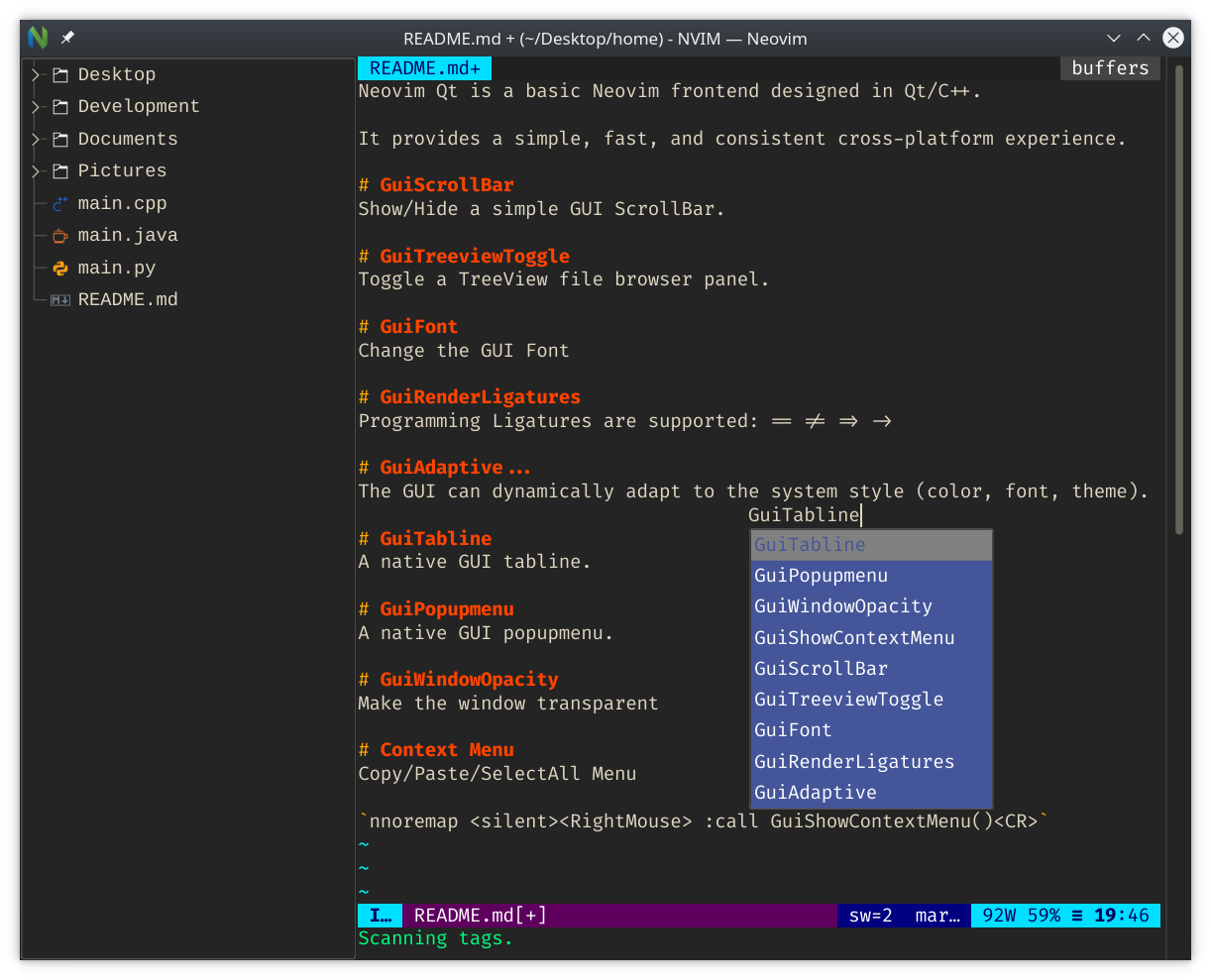
Neovim Qt is a lightweight cross-platform Neovim GUI written in C++ with Qt.
## Installing Neovim Qt
Neovim Qt is available on all platforms supported by Qt.
Instructions for common platforms are listed below.
### Windows
Nightly versions of Neovim Qt require manual download + installation.
Pre-built Windows binaries are provided for all recent commits:
[AppVeyor Commit Build Wiki Instructions](https://github.com/equalsraf/neovim-qt/wiki/Windows-AppVeyor-Builds)
#### Neovim version 0.10.0 and later
Starting with Neovim version `0.10.0`, Neovim Qt is no longer bundled with Neovim on Windows; each package must be installed separately.
```
> winget install neovim.neovim
> winget install equalsraf.neovim-qt
```
#### Neovim versions before 0.10.0
Neovim Qt is bundled with all releases of Neovim on Windows prior to Neovim version `0.10.0`.
See the Neovim release page:
- [Nightly Release](https://github.com/neovim/neovim/releases/nightly)
- [Stable Release](https://github.com/neovim/neovim/releases/latest)
Neovim is available as a [Chocolatey Package](https://chocolatey.org/packages/neovim/).
Stable Neovim + Neovim Qt:
```
> choco install neovim
```
Pre-Release Neovim + Stable Neovim Qt:
```
> choco install neovim --pre
```
### MacOS
#### Homebrew
Neovim Qt is available in the [Homebrew](https://brew.sh/) core package repository.
To install the latest release:
```
$ brew install neovim-qt
```
To install the latest development version:
```
$ brew install --HEAD neovim-qt
```
### Linux
Neovim Qt is packaged for many distributions, use your favorite package manager.
If your distribution is not listed here, please create an Issue with instructions.
#### Arch Linux
Neovim Qt is available from the Arch [Extra Repository](https://archlinux.org/packages/extra/x86_64/neovim-qt/).
```
$ sudo pacman -S neovim-qt
```
#### Gentoo
Neovim Qt is available from [GURU](https://gpo.zugaina.org/Overlays/guru/app-editors/neovim-qt).
#### OpenSUSE
Neovim Qt is available from this [Community Package](https://build.opensuse.org/package/show/home:cfr34k/neovim-qt).
#### Debian, Ubuntu
Neovim Qt is in both the Debian and Ubuntu package repositories, and can be installed with APT. This means that it should also available on any OS that uses these repositories, such as Linux Mint.
```
$ apt install neovim-qt
```
#### Homebrew
Homebrew supports Linux (sometimes called "Linuxbrew"); follow the MacOS Homebrew installation instructions.
## Configuration
Neovim Qt can be configured through the `ginit.vim` file.
The default locations are:
- Windows: `%LOCALAPPDATA%\nvim\ginit.vim`
- MacOS: `~/.config/nvim/ginit.vim`
- Linux: `~/.config/nvim/ginit.vim`
Recommended `ginit.vim`:
```vim
" Enable Mouse
set mouse=a
" Set Editor Font
if exists(':GuiFont')
" Use GuiFont! to ignore font errors
GuiFont {font_name}:h{size}
endif
" Disable GUI Tabline
if exists(':GuiTabline')
GuiTabline 0
endif
" Disable GUI Popupmenu
if exists(':GuiPopupmenu')
GuiPopupmenu 0
endif
" Enable GUI ScrollBar
if exists(':GuiScrollBar')
GuiScrollBar 1
endif
" Right Click Context Menu (Copy-Cut-Paste)
nnoremap <silent><RightMouse> :call GuiShowContextMenu()<CR>
inoremap <silent><RightMouse> <Esc>:call GuiShowContextMenu()<CR>
xnoremap <silent><RightMouse> :call GuiShowContextMenu()<CR>gv
snoremap <silent><RightMouse> <C-G>:call GuiShowContextMenu()<CR>gv
```
For more options, try `:help nvim_gui_shim` and scroll down to `Commands`.
More detailed information can be found on the [Configuration Wiki Page](https://github.com/equalsraf/neovim-qt/wiki/Configuration-Options).
## Frequently Asked Questions
### Why are the `:Gui` commands missing?
You need the Neovim Qt runtime to use commands like `:GuiFont`.
You can manually specify the path with `NVIM_QT_RUNTIME_PATH`.
Alternatively, you can install the Neovim Qt plugin separately:
`Plugin 'equalsraf/neovim-gui-shim`
On recent releases, you can check if the runtime is loaded with `nvim-qt --version`:
```
$ nvim-qt --version
NVIM-QT v0.2.16.1
Build type: Release
Compilation:-march=native -O2 -pipe -Wall -Wextra -Wno-unused-parameter -Wunused-variable -std=c++11
Qt Version: 5.15.2
Environment:
nvim: nvim
args: --cmd let &rtp.=',/usr/share/nvim-qt/runtime' --cmd set termguicolors
runtime: /usr/share/nvim-qt/runtime
...
```
Notice that `runtime:` is non-empty and points to a folder with `nvim_gui_shim.vim`.
### Why does `:Gui` not work in `init.vim`?
The `:Gui...` commands are not loaded when `init.vim` runs.
These options must be configured from `ginit.vim`. The file should be placed in the same directory as `init.vim`.
Alternatively, Neovim Qt responds to some vim options. You can `:set guifont=...` directly in `init.vim`.
### How do I disable the GUI Tabs?
Try `:GuiTabline 0`. This option can be added to `ginit.vim`.
To prevent startup flicker, see [Wiki - Configuration Options](https://github.com/equalsraf/neovim-qt/wiki/Configuration-Options)
### Why does the popup menu look different?
Try `:GuiPopupmenu 0`. This option can be added to `ginit.vim`.
The menu looks different because it is a widget rendered via Qt. Many users expect the `nvim` TUI (Terminal UI) menu instead.
### How do I change the font?
Use the `:GuiFont` command or the `'guifont'` setting. For example, `:GuiFont Fira Code:h12`, or `:set guifont=Hack:h12`.
### Why does `:GuiFont` throw an error?
You may see these errors:
- `{Font Name} is not a fixed pitch Font`
- ` Warning: Font {Font Name} reports bad fixed pitch metrics`
You can override this warning with `:GuiFont! {Font Name}`.
These warnings display for fonts containing variable-width characters.
They are safe to ignore, but you might notice font spacing and clipping issues.
### Why is Neovim unable to start?
The `nvim` binary must be in your `$PATH`. You can manually provide a path to Neovim:
```
$ nvim-qt --nvim {path_to_nvim}
```
In recent versions, `nvim-qt --version` reports the `nvim` binary path:
```
$ nvim-qt --version
...
Environment:
nvim: nvim
...
```
## Building From Source
Detailed build instructions can be found at the [Wiki](https://github.com/equalsraf/neovim-qt/wiki/Build-Instructions).
Simplified Build Commands:
```
$ mkdir build
$ cd build
$ cmake -DCMAKE_BUILD_TYPE=Release ..
$ cmake --build .
$ NVIM_QT_RUNTIME_PATH=../src/gui/runtime bin/nvim-qt
```
NOTE: `NVIM_QT_RUNTIME_PATH` must be set for commands such as `:GuiFont` to work.